Country-based profiles
Select from 249 ISO countries and territories. Names use a country locale, language fallback or global fallback, identified in the interface.

Create country-based email address patterns for testing in a focused desktop workspace.
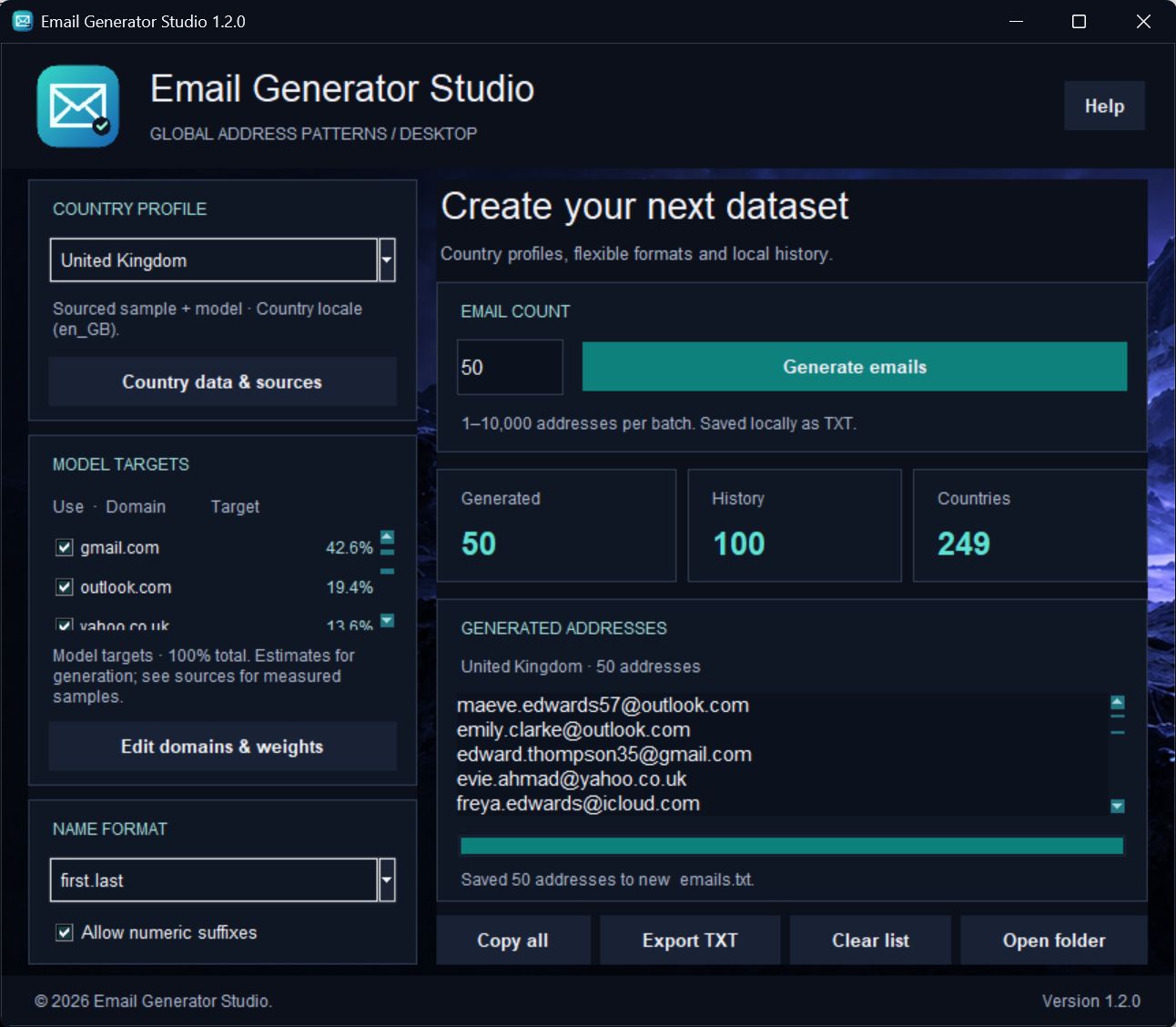
Build synthetic email address patterns for software testing, demonstrations and sample datasets. Choose a country profile, set your domain mix and generate a batch in an English-language desktop workspace.
The application includes 249 country and territory profiles with ten default domain options each. Regional domains are curated for 42 profiles. Published partial or historical samples are available for 13 countries; other percentages use clearly labelled model assumptions. Sources and calculation details are available inside the app.
Generation and history stay on your PC. No Python installation is required. The app creates address patterns; it does not create accounts, confirm that a mailbox exists or send email.
Select from 249 ISO countries and territories. Names use a country locale, language fallback or global fallback, identified in the interface.
Enable the domains you need and edit their weights. Current target percentages automatically normalize to 100% across enabled choices.
Separate domain evidence, published samples and calculation assumptions in the Country data & sources window. Model targets are not a verified national top 10 or a guarantee of current usage shares.
Choose first.last, first_last, f.last or firstlast. Optional numeric suffixes add variation to generated patterns.
Generate 1–10,000 address patterns per batch. Results are checked against local history to avoid previously generated duplicates.
Copy your latest batch to the clipboard or export it as TXT to a folder you choose. The latest batch and generation history are also saved locally.
Select a country or territory and review the profile, domain evidence and model assumptions.
Choose a name format, enabled domains, relative weights and batch size. Numeric suffixes are optional.
Generate your batch, then copy it or export TXT. Saved local history helps avoid duplicates in later batches.
$11 USD buys a PERPETUAL license: one payment, with no time expiry, for one registered user account and one PC.
Version 1.3.1 supports account-linked activation. Enter your activation key in the app. Replacing a PC requires a device reset by support.
First activation requires a connection. A signed offline lease allows up to 24 hours after the last successful check, never beyond a TIME license expiry. Revocation takes effect on the next online check or when the offline lease expires.
Pay with USDC on Ethereum (ERC-20). Your license and protected download are issued after full payment confirmation. Public checkout availability is shown above.
More about licenses and paymentsVersion 1.3.1 connects activation and license checks to the Cloudflare store. Version 1.3.0 adds account-linked activation on one PC, signed license checks and encrypted local activation storage. It supports protected downloads from your account and signed offline access for up to 24 hours. Country profiles, model targets, editable domains, local history and TXT export are retained.
No. It generates synthetic address patterns. It does not register, verify, authenticate or contact mailboxes. Generated patterns may coincidentally match existing addresses.
Target percentages are editable generation probabilities. The app separately displays published partial or historical samples where available, with their dates and populations. Unmeasured choices use declared assumptions. There is no verified worldwide national top-10 dataset bundled.
Regional domains have been curated for 42 profiles. Other countries use labelled global or localized-global choices. A country-code alias does not establish a locally operated service.
The application saves all_emails.txt, new_emails.txt, country_profiles.json and its log beside the executable. Export TXT lets you choose another destination. Clear list preserves saved history.
A one-time perpetual license for one user account and one PC, with no time expiry. Your license and protected download appear in your account after full payment confirmation. Public checkout availability is shown on this page. The perpetual license costs $11 USD for one account and one PC.